
News
Beyond the Hype: 15 Practical Ways to Use AI in Your Content Workflow & Digital Marketing
Artificial Intelligence (AI) has become one of the most buzzed‑about topics in the digital sphere. Across marketing forums, creative circles, and executive boardrooms, voices are declaiming it as the panacea for inefficiencies, the secret weapon for creativity, or the herald of a paradigm shift in content management. Yet for many, that very hype breeds confusion: what exactly can AI do in a real-world content workflow, and how do you use it without losing authenticity or quality?
In this article, we go beyond the hype, offering concrete, actionable ways to integrate AI into your content processes—whether you’re a solo blogger, an in‑house marketing team, or an agency with multiple clients. We’ll explore ideation, drafting, editing, optimisation, scheduling, collaboration, localisation, performance analysis, and even the ethical considerations that underpin responsible AI use. By the end, you should have a map of practical applications, tools, and mindset shifts that turn AI from a flashy buzzword into a productive, even joyful part of your workflow.
1. Ideation: Sparking Ideas, Not Replacing the Human Spark
AI can help light the creative fire when it’s flickering. Rather than expecting it to fully conceive your next masterpiece, position it as a brainstorming companion.
Imagine you’re planning a long‑form blog post about sustainable travel. You lack the initial angle and key attention‑grabbing hooks. That’s where AI tools can step in with prompts like: “Give me ten unique article angles on sustainable travel in urban settings.” The results might range from focusing on zero‑waste accommodation to city‑wide bike share programmes or eco‑conscious street food scenes. Use these as starting points—not final headlines.
Importantly, prompt design matters. Instead of the generic “write article about AI,” try “suggest five attention‑grabbing headlines for a blog article exploring the role of AI in ethical journalism, with a conversational tone.” The better your prompt, the closer the AI comes to what you actually need.
From there, refine. Merge ideas, subvert them, and inject your own expertise. AI should be the creative brush, not the painter.
2. Drafting: Accelerating First Passes with AI Assistance
Once you’ve chosen an angle, the next step is drafting. Here AI shines at producing first skeletons or rough drafts you then refine.
Suppose your outline includes sections like “Introduction,” “Key eco‑practices in urban travel,” “Case study: Copenhagen’s bike share,” and “Practical tips for London commuters.” You can ask AI to draft 300–400‑word sections based on each bullet. What you get back may be structurally coherent but maybe lacking nuance or tone. That’s fine—it’s a draft.
Your job now is to recast it: insert your personal voice, polish transitions, trim generalities, and verify facts. If the AI mistakenly asserts that Copenhagen’s bike share programme launched in 2023 when in fact it began earlier, you catch and correct it. The goal is to let AI do the grunt work, while you do the soul work.
3. Editing and Style Refinement without Losing Your Voice
Once a draft exists, whether written entirely by you or co‑crafted with AI, fine‑tuning tone and style is essential. AI can help here, too.
Ask for specific transformations: “Rewrite this paragraph in a more conversational tone with British English spellings,” or “shorten this section to 150 words and make it more engaging.” The tool can produce alternatives. Compare them with your original—and then mix elements to maintain your voice while benefiting from clarity and fluidity improvements.
You can also use AI as a proofreading assistant. Spellings, punctuation, grammar, even sentence flow can be checked swiftly, though caution is due. Always conduct your own final read‑through, especially if your content will appear under your name or brand.
4. SEO Optimisation: Smart, Not Spammy
Search engine optimisation remains a critical step—yet often feels technical or jargon‑filled. AI tools can shoulder some of the burden but shouldn’t turn content into a keyword‑stuffed mess.
Begin with research: ask the AI to suggest keywords or long‑tail phrases related to your topic (“sustainable urban travel tips UK,” “eco‑friendly commuter hacks London”) and requests for potential questions readers might ask. Blend them naturally into headings or Q&A segments—not because a tool tells you to, but where they fit organically.
You can also employ AI to produce meta descriptions or title tags. For instance: “Write a 155‑character meta description for my article on sustainable city commuting, with a subtle call‑to‑action.” Then tailor its output to fit your voice.
Remember: content must be for humans first, search engines second. AI can help elevate optimisation discreetly, but authenticity wins.
5. Visual Content Ideation: Complement Words with Imagery
Words are powerful, but visual content—images, infographics, video—extend engagement. AI tools can help you ideate visual concepts to brief designers or even generate images with AI‑based art platforms.
For an article on sustainable commuting, you might ask an AI image generator: “Create a stylised flat‑lay image of a reusable water bottle, bike helmet, and eco‑friendly commuter planner on a wooden desk.” The output gives you concept visuals to feed into design software or commission illustrators.
Even if the visuals you generate don’t become final art, they serve as mood boards or inspiration—saving your creative partner time and giving you a base to refine.
6. Social Media Snippets and Promotion Strategy
Drafting social posts is repetitive but crucial. AI can help produce multiple versions quickly. Ask: “Write eight varied social posts for Twitter, LinkedIn, Instagram captions, and Facebook, promoting this article, tone cheerful and informative.” The result is a bank of options that you can adapt for character limits, platform voice, and audience.
You can also ask AI to generate associated hashtags or to suggest the best cut of your headline for an Instagram teaser versus a LinkedIn announcement. This speeds up campaign planning without dulling your message.
Again—don’t post blindly. Review, tweak the tone, ensure compliance with brand guidelines or platform norms.
7. Repurposing Content: Stretch
One piece of content can become many. AI helps you stretch a long‑form article into multiple formats.
Are you aiming for repurposing? Ask AI to create:
- A short newsletter blurb summarising your article in 100 words.
- An 8–tweet thread summarising the main insights with engaging hooks.
- A LinkedIn article summary of 300 words, more professional in tone.
- A 300‑word summary suitable for Medium, with conversational tone.
From one article, you generate multiple posts—each fine‑tuned for its platform.
8. Localisation and Translation (with Nuance)
If you have an international audience, AI tools offer translation and localisation features. Ask: “Translate this article introduction from British English into Simplified Chinese, then adjust idioms for a Mainland China audience.” The output may require review, but it accelerates the process.
You might also ask AI to change references to local contexts: for example, “Rewrite this paragraph referencing London commuter patterns for a New York audience, changing examples and tone accordingly.” Again, the AI provides a first draft, which you follow with cultural fine‑tuning.
It’s not a substitute for a native‑speaker translator, but it’s an effective starting point—especially when budgets are limited or you need multiple language versions fast.
9. Collaboration: AI as a Team Member
When working with others—editors, clients, fellow writers—AI can act as a common reference point. Suppose your team is revising a blog draft. Rather than emailing “see my notes,” you can paste the text and ask AI: “List the main issues: redundancy, structural gaps, tone inconsistencies.”
Alternatively, if two people offer conflicting edits, you can ask: “Suggest a compromise version between these two paragraphs from Editor A and Editor B.” It’s not about deferring to AI but using it to clarify choices and ease consensus-building.
AI also aids version control: asking it to summarise changes between draft versions or convert comment‑laden copy into clean text.
10. Performance Analysis: Learning from the Data
Once content is live, how do you evaluate its impact? AI analytics tools can process large data sets quickly.
Instead of manually hunting through Google Analytics or engagement dashboards, you might ask an AI‑powered analytics assistant: “Explain key insights from this week’s blog pageviews and average time on page. Which article performed unexpectedly well and why?” The tool could point to user interest in localised commuting tips, or correlate performance with the social posts that drove engagement.
Similarly, AI can detect trending topics or indicate which segments of your content readers found most interesting. You might ask: “What questions did users search before landing on this article? And what follow‑up content could address them?” This guides your content pipeline strategically rather than randomly.
11. Reducing Busy‑Work: Automating Routine Tasks
One of AI’s most powerful roles lies in cutting down on administrative overhead—transcriptions, tagging, summarising, and data entry.
Imagine you conducted an interview for your content. AI transcription services can convert the audio into text in minutes. You can then ask the AI to highlight key quotes, identify themes, or generate an executive summary for your article.
On blogging platforms or CMS tools, AI can auto‑tag posts, suggest internal links to related content, or flag meta descriptions that are missing or too short. These small efficiencies free up time to focus on quality writing and promotion rather than housekeeping.
12. Ethical Considerations: Trust, Transparency, and Originality
Using AI introduces questions about ownership, authenticity, and ethics. It’s vital to establish guidelines for fair and responsible use.
First, be transparent. If content is AI‑assisted, consider acknowledging it—especially in sensitive or opinionated pieces. Readers appreciate transparency, and it prevents backlash if errors arise. Some organisations include a note like: “This article was co‑written with AI support and reviewed by our editorial team.”
Second, fact‑check thoroughly. AI can hallucinate—create false assertions that seem plausible. Always verify data points, dates, quotes, and references using credible sources.
Third, guard originality. Don’t rely on AI to rehash tired tropes or superficial generalisations. Your unique insight, lived experience, and niche expertise remain irreplaceable. AI should enhance, not override, your creativity and values.
Lastly, respect privacy. If you’re inputting user comments or transcripts into AI tools, ensure no sensitive or personally identifiable information is inadvertently shared, particularly if the platform has unknown data retention policies.
13. Tools Landscape: Choosing Wisely
There are myriad AI tools, each with strengths. While I won’t list every product here, a few categories help you choose wisely:
a. Generative Language Tools: Platforms that craft prompts, drafts, or rewrites. You’ll find tools offering user‑friendly interfaces, tone selectors, and language style toggles.
b. Grammar and Style Assistants: Tools that focus on structure, clarity, and grammar. They typically monitor tone and can enforce brand style guidelines.
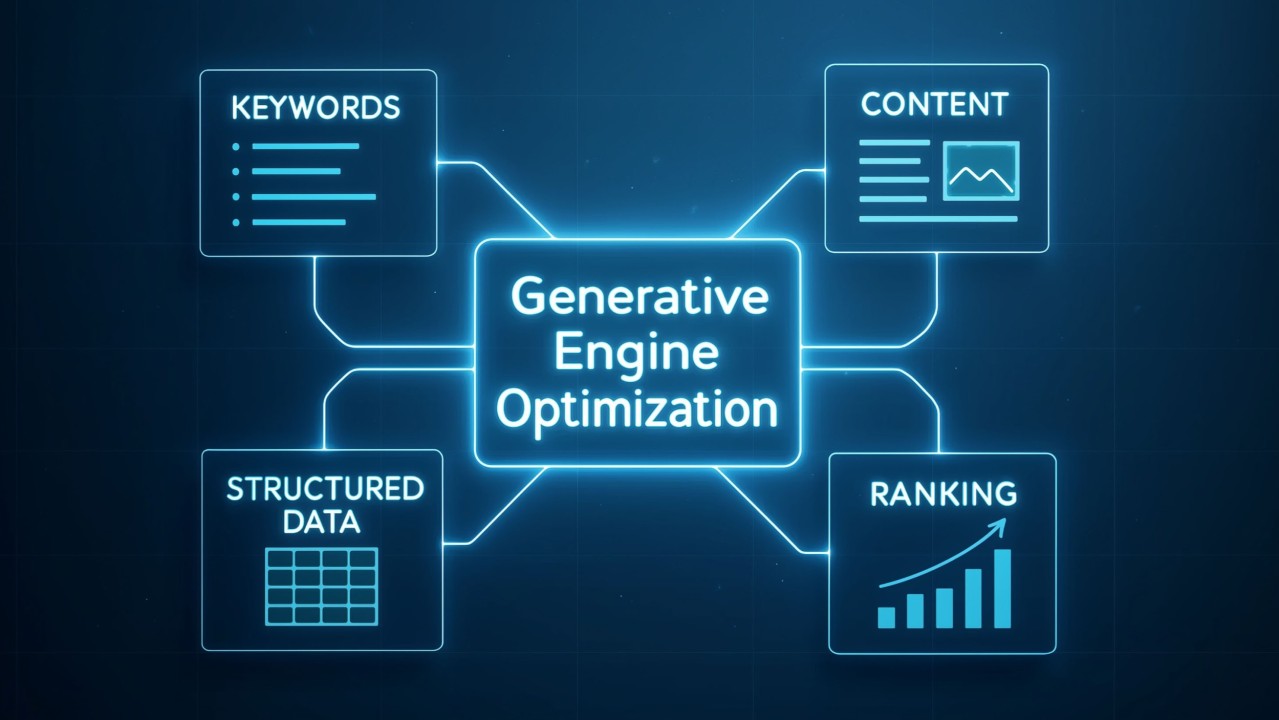
c. SEO and Analytics Tools: These suggest keywords, monitor ranking, analyse content performance, or offer predictive insights.
d. Voice/Video Transcription: Tools that convert spoken content into text, often with summarisation features.
e. Content‑Generation Aids: Tools that expand outlines into paragraphs, or repurpose text snippets into social posts or newsletter summaries.
When selecting tools, prioritise those with transparent data policies, good customer support, and active updates. Free trials or sandbox modes let you test features before committing.
14. Crafting a Practical Workflow: A Sample Scenario
Let’s walk through a sample workflow for a content team working on a mid‑length article.
- Ideation: Team runs a quick round of prompts with AI to generate topic angles and selects “sustainable commuter habits in London post‑pandemic.”
- Outline Development: They draft a structured outline—sections, key points, case studies.
- Draft Production: AI generates 300–400‑word drafts for each section.
- Human Review: Writers refine tone, insert anecdotes, fix dates, and add bespoke content.
- Editing: Editors use grammar‑checking AI tools to polish language and enforce house style.
- SEO Enhancement: Use an AI tool to suggest keywords, integrate them organically, and craft meta description.
- Visual Briefing: AI image inspo helps design team create header visuals or infographics.
- Promotion: AI generates social media posts, newsletter teasers, and alternative titles. Team tweaks them for platform‑specific needs.
- Publication & CMS Tasks: AI auto‑tags content, suggests internal links.
- Performance Review: AI analytics assess page performance, suggest next‑content based on user queries and drop‑off points.
- Follow‑Up: Team schedules follow‑ups—perhaps a short Q&A piece responding to reader comments or search queries uncovered in analytics, again using AI‑generated draft.
This workflow preserves human insight at every critical step, while positioning AI as the supportive co‑pilot that accelerates and amplifies work—not replaces it.
15. Long‑Term Mindset: Learning as You Go
Finally, treat AI integration as a journey, not a destination. Start small. Pick one phase—maybe drafting or promotion—and see what gains you get. Track time saved, quality improvements, and team feedback.
Over time, you’ll discover which AI tools suit your style, which tasks still demand full human attention, and how your voice evolves with AI collaboration.
As your familiarity grows—and as AI tools inevitably improve—you’ll be able to wield them with greater finesse, sharper purpose, and stronger creative control. The goal should never be to stack “AI” on every process, but to use it judiciously—where it genuinely boosts clarity, speed, or quality.
Final Thoughts
AI in content creation doesn’t need to be mystifying hype. It becomes truly valuable when treated as a flexible assistant: one that helps you spark ideas, draft faster, refine tone, optimise for reach, repurpose efficiently, collaborate smoothly, and learn from performance data.
As with any tool—pen, camera, or spreadsheet—it’s the human guiding it that matters most. When harnessed intelligently, AI accelerates the process without compromising originality. Every writer or team can integrate AI at their comfort level—beginning with a single step and scaling up as confidence and results compound.
In short, the most practical way to use AI in your content workflow is to keep yourself central: your voice, your experience, your values. Let AI handle the routine; let yourself handle the heart. That’s how authenticity endures even beyond the hype.














The Ultimate Social Media Guide
With the ever-growing power of social media, we use the latest techniques, video, and animation software to craft eye-catching social media assets that make your brand pop. Our designers, wielding Adobe Creative tools, create distinctive animations and graphics to illuminate your brand story and highlight your products or services. Want a unique design? No problem – we also offer bespoke designs to match your brand aesthetic.